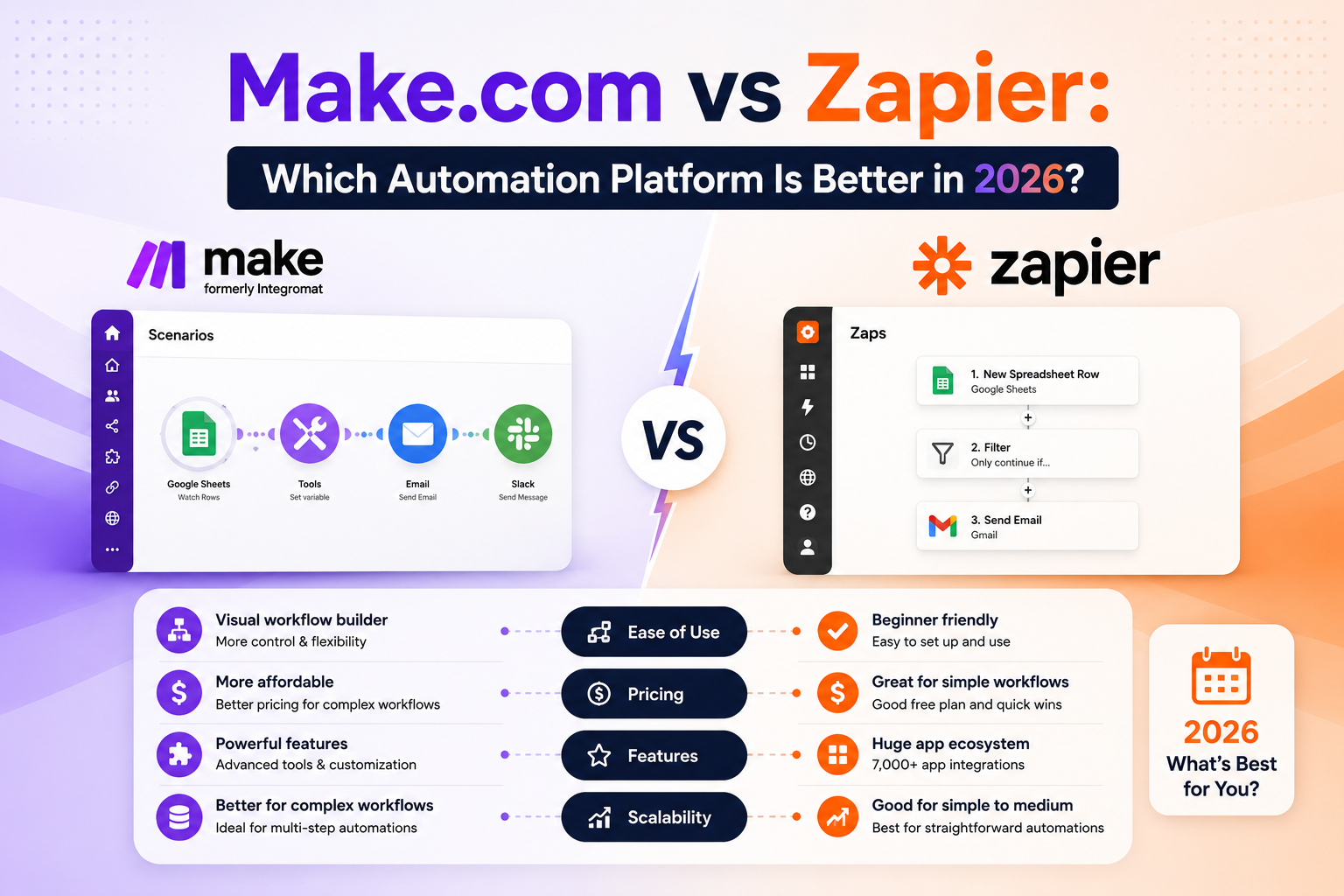
Zapier is better for beginners and teams that want the largest app library: 7,000+ integrations, a simpler editor and faster setup. Make is better for power users and budgets: its visual canvas handles complex branching workflows, and its operation-based pricing typically costs 3 to 5 times less than Zapier at the same volume. Choose Zapier for simplicity and reach; choose Make for depth and value.
Make vs Zapier: Why This Comparison Matters in 2026
If you have decided to automate your business, the first real decision is not which task to automate — it is which platform to build on. Make and Zapier are the two giants of no-code automation, and the platform you pick today will quietly shape every workflow you build for years. Switching later is possible, but rebuilding fifty automations is nobody’s idea of a fun weekend.
Both platforms do the same fundamental job: they watch for an event in one app (a new lead, an order, an email) and trigger actions in other apps (update the CRM, send a Slack alert, draft a reply with AI). Both added serious AI capabilities over the last two years, letting you drop language-model steps directly into workflows. But under the hood they are built around very different philosophies, and those differences decide which one is right for you.
We have run both platforms in production for years here at AI Automation Hacks — our Zapier + AI: The Complete Automation Guide documents many of those builds. This Make vs Zapier comparison covers ease of use, integrations, AI features, pricing, reliability and support, then gives you a clear verdict by use case.
Make vs Zapier at a Glance
| Factor | Zapier | Make |
| App integrations | 7,000+ (largest anywhere) | 2,000+ plus generic HTTP module |
| Editor style | Linear, step-by-step list | Visual drag-and-drop canvas |
| Learning curve | Very easy — first Zap in minutes | Moderate — a few hours to feel at home |
| Complex workflows | Paths feature (limited branching) | Unlimited branching, routers, loops |
| AI features | AI steps, Copilot builder, agents | Native OpenAI, Anthropic, Google modules |
| Pricing model | Per task | Per operation (cheaper at volume) |
| Free plan | 100 tasks/month | 1,000 operations/month |
| Entry paid plan | $19.99/month | $9/month |
Ease of Use: Zapier Wins for Beginners
Zapier’s editor reads like a recipe: when this happens, do that, then do that. Every step sits in a vertical list, every field has plain-English labels, and the new AI Copilot will even build the whole Zap from a sentence like “when someone fills my Typeform, add them to Mailchimp and notify me in Slack.” A complete beginner can ship their first working automation inside ten minutes, which is exactly why Zapier remains the default recommendation for non-technical founders.
Make asks a little more of you up front. Its canvas presents workflows as circles (modules) connected by lines, which looks intimidating for the first hour and becomes addictive shortly after. The payoff is visibility: you can watch each bundle of data flow through every module in real time, inspect exactly what arrived and what left, and spot the broken step at a glance. For workflows beyond three or four steps, many builders find Make’s canvas easier to reason about than Zapier’s list — the learning curve buys you power.
Winner: Zapier for the first week of your automation journey; Make once you are past it.
Integrations: Zapier’s Library Is Unmatched
With more than 7,000 supported apps, Zapier integrates with essentially everything that has ever shipped a public API — including thousands of niche tools that Make has never heard of. If your stack includes regional accounting software, an obscure booking system or a long tail of marketing tools, Zapier almost certainly connects to all of them today.
Make counters with around 2,000 native integrations covering all the mainstream apps a small business actually uses — Google Workspace, Shopify, HubSpot, Slack, Stripe, Airtable, Notion and friends — plus a secret weapon: a generic HTTP module that can call any API on the internet. Technically that makes Make’s reach unlimited, but using it requires reading API documentation, which puts it out of range for strictly non-technical users.
Winner: Zapier on raw count and convenience; Make if you are comfortable making the occasional API call yourself.
AI Features: A Closer Race Than You’d Expect
Zapier has gone all-in on AI. AI by Zapier lets you add summarize, classify, extract and draft steps to any workflow without holding an OpenAI account. Zapier Copilot builds and edits Zaps from natural language, and Zapier Agents — its newest layer — can take a goal like “monitor my inbox and draft replies to customer questions” and handle the orchestration itself. For users who want AI results without AI plumbing, Zapier is the smoother experience.
Make takes the builder’s approach. Its native modules for OpenAI, Anthropic Claude and Google Gemini expose full model controls — system prompts, temperature, model selection, vision inputs — so you can engineer exactly the AI behavior you want and pay the model provider’s wholesale price instead of platform task fees. Make’s AI Agents feature has matured quickly as well, and pairing it with the canvas makes complex agentic flows much easier to debug.
Whichever platform you choose, output quality depends on prompt quality — our 10 Best AI Prompt Hacks for Beginners applies directly to the prompts you paste into either platform’s AI steps.
Winner: Tie — Zapier for convenience, Make for control and cost.
Pricing: Make Is Dramatically Cheaper at Scale
This is where the platforms diverge hardest, and where most switchers come from. Zapier charges per task — every action step that runs consumes one task. Make charges per operation, and while one Zapier task and one Make operation are roughly comparable units of work, the prices attached to them are not.
| Monthly volume | Zapier (approx.) | Make (approx.) |
| Free tier | 100 tasks | 1,000 operations |
| ~10,000 units | $73.50 (Professional) | $16 (Core 10k) |
| ~40,000 units | $187+ | $34 (Core 40k) |
| ~150,000 units | $599+ (Team tiers) | $99–120 (Pro tiers) |
The pattern is consistent: at any meaningful volume, Make lands at roughly a fifth to a third of Zapier’s price for equivalent work. For a solo founder running a handful of low-volume Zaps, the difference is a few dollars and Zapier’s polish is worth it. For an e-commerce store processing hundreds of orders a day, the difference is hundreds of dollars a month — real money that compounds every billing cycle.
Winner: Make, decisively.
Reliability, Error Handling and Support
Both platforms are mature and dependable, but they fail differently. When a Zapier step errors, you get an email, a log entry and an auto-replay option on higher plans — adequate, though diagnosing exactly which data caused the failure can take some digging. Make gives you granular error-handling routes you design yourself: on failure, branch to a fallback, retry with backoff, alert a human, or roll back. It is more work to set up and far more robust once you have.
Support follows the same shape. Zapier offers extensive documentation, a large community and email support with priority tiers; its sheer popularity means almost every problem you hit has already been answered somewhere. Make’s documentation has improved enormously, its community is smaller but more technical, and complex questions often get sharper answers there.
Winner: Zapier for hand-holding; Make for engineering-grade control.
When You Should Choose Zapier
- You are brand new to automation and want a working result in the next ten minutes, not the next weekend.
- Your stack includes niche apps — Zapier’s 7,000-app library is the safest bet for long-tail software.
- Your volumes are low. Under a few thousand tasks a month, the price gap barely matters and Zapier’s ease wins.
- Non-technical teammates will maintain workflows. Zapier’s linear editor is the one your office manager will actually use.
When You Should Choose Make
- Your workflows have logic. Branching, loops, aggregations and multi-path scenarios are Make’s home turf.
- Volume is growing. At 10,000+ operations a month, Make’s pricing advantage funds the rest of your tool stack.
- You want full AI control. Direct model access, custom prompts and wholesale AI pricing beat packaged AI steps.
- You like seeing your data. The visual canvas with live data inspection makes complex builds debuggable.
Can You Use Both Together?
Plenty of teams do, and it is a legitimate strategy rather than indecision. A common pattern: Zapier handles the long tail of simple, low-volume connections to niche apps, while Make runs the heavy, high-volume core workflows where its pricing and branching shine. Both platforms can call each other through webhooks, so a Zapier trigger can hand off to a Make scenario and vice versa. Start consolidated, split only when a clear cost or capability reason appears.
If you are also weighing the self-hosted route, our three-way n8n vs Zapier vs Make comparison adds the open-source option to this exact framework, and the Ultimate Guide to AI Automation Tools 2026 maps the wider landscape.
Real-World Example: The Same Workflow Built on Both Platforms
Abstract comparisons only go so far, so here is a workflow we actually run — new lead intake — built on both platforms. The job: when a website form is submitted, enrich the lead with AI, score it, add it to the CRM, send a personalized first reply, and alert the sales channel in Slack if the score is high.
On Zapier: the build took about 20 minutes as a six-step Zap — Typeform trigger, AI by Zapier step to summarize and score the inquiry, a Paths split on the score, HubSpot create-contact action, Gmail draft action, and a Slack message on the hot-lead path. Everything worked on the first run. Monthly cost at around 1,500 leads: every lead consumes six tasks, roughly 9,000 tasks, which lands on the $73.50 Professional plan.
On Make: the build took closer to 45 minutes the first time, mostly spent learning the router module. The finished scenario uses an OpenAI module with a custom system prompt for scoring — noticeably more accurate than the packaged AI step because we control the prompt — plus the same HubSpot, Gmail and Slack modules. Monthly cost at the same volume: about 9,000 operations plus pennies of direct OpenAI API usage, comfortably inside the $16 Core plan.
The punchline: identical business outcome, 4.5x price difference, and the Make version produces better lead scores because we could engineer the prompt. But the Zapier version was live before the Make version was half-built. That trade — setup speed versus running cost and control — is the entire Make vs Zapier decision in miniature.
Migration Tips If You Switch from Zapier to Make
- Migrate by cost, not by age. Export your Zapier task usage report and rebuild the top five task-consuming Zaps first — they typically represent 80% of your bill.
- Run both in parallel for two weeks. Keep the Zapier version paused but intact until the Make scenario has survived real-world edge cases.
- Rebuild, don’t replicate. Make’s routers and iterators often let you merge three separate Zaps into one scenario — take the opportunity to simplify.
- Recreate your error alerts first. Set up Make’s error handlers and a failure-notification route before going live, not after the first silent breakage.
Frequently Asked Questions
Make is better for complex workflows and high volumes thanks to its visual canvas and operation-based pricing that typically costs 3 to 5 times less than Zapier. Zapier is better for beginners and niche app coverage with its 7,000+ integrations and simpler editor. Neither is universally better — the right choice depends on your workflow complexity and monthly volume.
Yes, at almost every volume tier. Around 10,000 monthly units of work, Make costs roughly $16 versus Zapier’s $73.50; at 40,000 units the gap widens to about $34 versus $187. Only at very low volumes — where free plans cover you — does the difference disappear.
Zapier is easier. Its linear, recipe-style editor and AI Copilot let complete beginners build a working automation in under ten minutes. Make’s visual canvas takes a few hours to feel natural but rewards the investment with far more power on complex workflows.
Yes. Zapier offers built-in AI steps, Copilot and Agents that work without separate AI accounts. Make provides native modules for OpenAI, Anthropic Claude and Google Gemini with full prompt and model control, billed at the provider’s own API rates.
Yes, but workflows must be rebuilt manually — there is no one-click import. Most teams migrate their highest-volume Zaps first to capture the cost savings, then move the rest gradually. Budget roughly 15 to 30 minutes per simple workflow.
Both offer free plans. Zapier’s free tier includes 100 tasks per month with two-step Zaps; Make’s free tier includes 1,000 operations per month with full multi-step scenarios, making it the more generous option for testing real workflows.
Final Verdict: Make vs Zapier in 2026
Zapier is the better on-ramp; Make is the better highway. If you are automating your first processes, value your time over your money and need guaranteed coverage of every app you use, choose Zapier and you will not regret it. If you already know what automation can do, your volumes are climbing, and you want workflows with real logic at a price that scales, choose Make — it is the strongest value in no-code automation today.
Our recommendation for most growing small businesses: start on whichever free plan covers your first workflow, and re-evaluate the moment your monthly volume passes 5,000 units. That is the point where Make’s economics become impossible to ignore — and where the visual canvas stops being a learning curve and starts being a superpower.
Disclaimer: The information in this article is for general informational purposes only and does not constitute professional, financial or legal advice. Pricing and features are accurate as of publication but may change; always verify details on the official vendor websites before purchasing. AI Automation Hacks is not affiliated with the companies mentioned except through standard affiliate partnerships disclosed above. See our full Disclaimer and Privacy Policy.
Affiliate Disclosure: This post may contain affiliate links. If you purchase a tool through one of our links, we may earn a small commission at no extra cost to you. We only recommend tools we have personally tested and believe will add real value to your business. Read our full Disclaimer for details.