
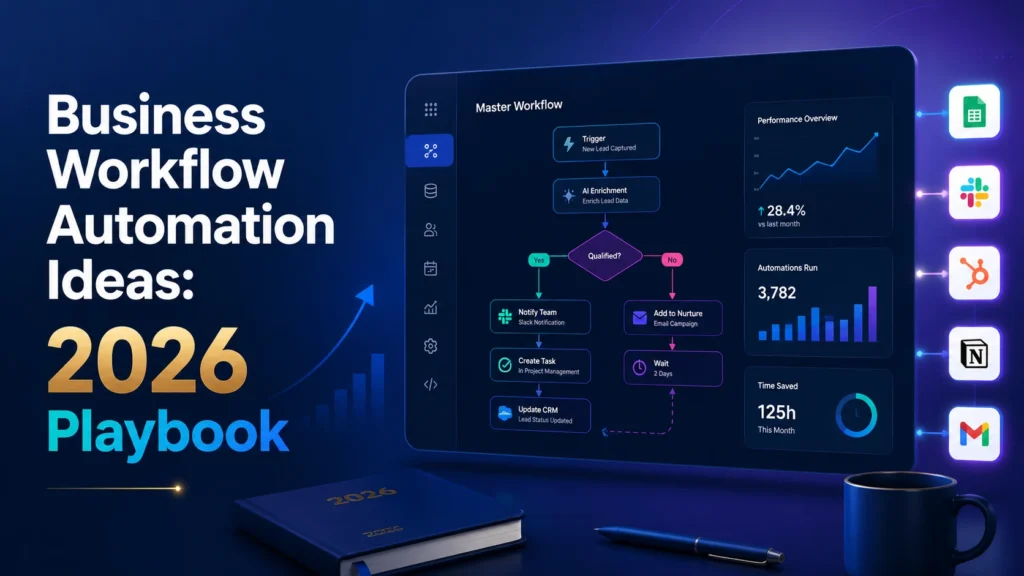
Quick answer: A practical 2026 guide to business workflow automation with prioritization, examples, architecture, human approvals, metrics and reliable rollout. A reliable result requires clear input data, named owners, controlled permissions, exception handling and a way to measure business outcomes.
Business Workflow Automation Ideas: A Practical 2026 Playbook is about turning real operational friction into a repeatable system. Successful automation begins with a concrete problem: a handoff waits too long, a record is copied more than once, an approval gets lost or a team cannot tell whether a task finished. The right design makes the outcome visible, assigns responsibility and allows a safe manual route when software cannot make a responsible decision.
Start with the work, not the automation software
A workflow is an agreed series of events, decisions and responsibilities that delivers a business outcome. Teams often buy software before agreeing what a successful lead handoff, invoice approval or client onboarding actually means. Begin by naming the start event, the completed outcome and the people accountable for the handoffs. For instance, a lead routing workflow begins when a valid inquiry enters the CRM and finishes when one owner accepts responsibility for the next response. That boundary is small enough to measure. Describe the current sequence with real cases, including a late response and a duplicate submission, before designing the future flow. This prevents the new tool from simply automating confusion.
Six business workflows worth prioritizing
Lead qualification, client onboarding, invoice reminders, employee onboarding, purchase approvals and weekly reporting are useful starting areas because they usually contain repeatable inputs and clear handoffs. A lead workflow can validate a form, search for an existing contact, assign an owner and notify the sales channel. An onboarding workflow can create a workspace and request missing documents but should leave contractual exceptions to a person. A report workflow can gather approved source metrics and distribute a reviewed summary. These examples differ in complexity: sending a reminder needs simple rules, while extracting meaning from an unstructured inquiry may benefit from AI. Choose the smallest process with clean input data and measurable delays.
Choose a platform using real constraints
Zapier is attractive when ease of setup and many SaaS connectors matter most. Make suits visually mapped multi-step scenarios and routing. n8n can fit teams that need more control over deployment and custom logic. Power Automate often makes sense in Microsoft-heavy environments. None is automatically the winner. Compare the required triggers and actions, run allowances or credits, permissions, error history, credential management and the skills of the person who will maintain the flow. Before paying for a tier, test a complete example with realistic data, including one malformed input and one external API failure.
Design a reliable process architecture
Model the trigger, input validation, lookup, decision, action and confirmation as separate stages. Give every business event a stable identifier so an automatic retry cannot create two invoices or duplicate CRM records. Record the original input, decision path, destination identifier, outcome and retry status without storing unnecessary personal data. Separate business exceptions from infrastructure errors. A missing postal address is a business exception for a staff member; a temporary server failure is a technical error that may be retried. Make the system visible through a small status dashboard and one meaningful alert for the owner rather than dozens of notifications.
Control AI where decisions matter
Language models are useful for classification, summarization and drafting when the input is messy. They should not invent prices, approve payments, grant account access or make legally significant decisions without explicit authorization. Keep critical rules outside the prompt: spending limits, mandatory fields, permissions and prohibited actions belong in deterministic checks. Ask the model for structured fields with allowed values, validate that output and route uncertain answers to human review. Use limited-scope credentials and review what logs may contain. This approach gives AI a useful role without treating generated text as unquestionable truth.
Measure the complete business outcome
For every candidate workflow, record volume per week, manual minutes per case, error/rework rate and the average delay between the trigger and completed outcome. After launch measure those same indicators and add run costs, exception escalations and human review effort. A workflow that reduces clicking but doubles rework has not improved the business. Separate gross time saved from net capacity recovered after maintenance and approvals. Run a pilot with a representative sample and agree in advance who can pause it if outcomes drift.
Roll out without interrupting operations
Use a staged rollout: document the manual baseline, configure a sandbox, test clean and bad inputs, run the workflow in observation mode, then enable actions for a narrow group. Keep a manual fallback and owner contact accessible to users. For the first two reporting cycles, review failed runs daily and reconcile outputs against the source of truth. Document changes to field mapping or permissions so another operator can support the flow. Only scale after the original problem is measurably better, not merely because the automation looks impressive.
What to do after the first successful workflow
Build a small inventory listing owner, purpose, trigger, connected apps, business impact, failure alert and next review date. Consolidate duplicate automations where they create inconsistent data. Introduce naming conventions, approved credentials and a change log while the estate is still small. Train team members on what to do when the automation cannot complete a case. The mature goal is not the greatest possible number of automated steps. It is a small, understandable operating system that lets people act on reliable information.
Implementation controls that make the workflow dependable
Example workflow specification
A useful automation specification has six explicit fields: the initiating event, minimum required inputs, the source of truth, allowed actions, error handling and the evidence of completion. For a request that enters through a form, define which record should be created and the unique identifier used to prevent duplicates. Describe what happens if a related customer already exists, if the API is offline or if an approver rejects the request. For every external action, identify whether it can be reversed. Non-reversible actions deserve stronger controls and clear authorization. Include the expected output and a way for the next person in the process to confirm that the work was actually completed.
Practical test cases before rollout
Prepare synthetic sample records for a clean event, incomplete input, duplicate submission, incorrect permissions, unavailable destination and a late response. Test that each case creates the expected state and that a stopped workflow does not leave half-completed work invisible. Run an additional permission test using the limited credentials intended for production rather than a full administrator account. Ask a second operator to follow the troubleshooting notes without guidance from the builder. If they cannot understand what happened from the logs and documentation, the system is not ready for unattended operation. These tests establish reliability without pretending that a private benchmark already exists.
Success metrics and ongoing review
Track a baseline period and a comparable post-launch period for volume, elapsed time, human effort, error rate, manual escalations and platform usage. Use a completed business event as the unit of analysis. A report that runs instantly but requires several hours of correction is not an improvement. Where the business case depends on saved labor, account for maintenance, exception handling and review time. Audit unusual cost spikes and failures, especially after adding AI steps or changing integrations. Put a named owner and a review date beside each metric so a workflow can be improved, simplified or retired as needs change.
Security, privacy and responsible automation
Limit permissions to only the systems and fields needed for the workflow. Do not route confidential documents to an AI provider unless that use is approved under the organization’s privacy and security requirements. Avoid exposing API keys in prompts or activity logs. Set retention periods for personal data and keep a record of how automated decisions can be questioned or corrected. Human approval should be meaningful: the reviewer needs enough context to detect mistakes, not just a green button. Document how to pause the flow quickly during a data-quality incident or unexpected batch of events.
Related guides on AI Automation Hacks
Continue with process mapping guide, small agency automation ideas, workflow automation mistakes, remote-team automation guide. These guides explain adjacent stages of planning, building, operating and improving automation.
Frequently asked questions
How do I choose the first automation?
Pick a frequent, measurable process with structured inputs, low-risk actions and a clear accountable owner. Avoid starting with the most complex exception-heavy process.
Should I use AI for every workflow?
No. Use deterministic rules for exact matching, arithmetic, permissions and known policy. Add AI only when the task involves ambiguity such as summarizing or classifying free text.
Which platform is easiest for a small team?
That depends on existing applications, staff skills, permission needs and cost model. Test the complete workflow in Zapier, Make, n8n or Power Automate before choosing.
What if an automation fails?
Every production flow should create a visible failure state, notify its owner and provide a safe manual or replay option without generating duplicates.
How do I prove the workflow is useful?
Compare equivalent periods for completed events, response time, correction work, failure frequency and total operating cost. Include human review and ongoing maintenance.
Official documentation and further reading
Use the product documentation for current integration behavior and limits: Microsoft Power Automate documentation, n8n documentation, Make Help Center, and Zapier Help Center. Features and billing vary by plan and can change; confirm current conditions with the provider.