
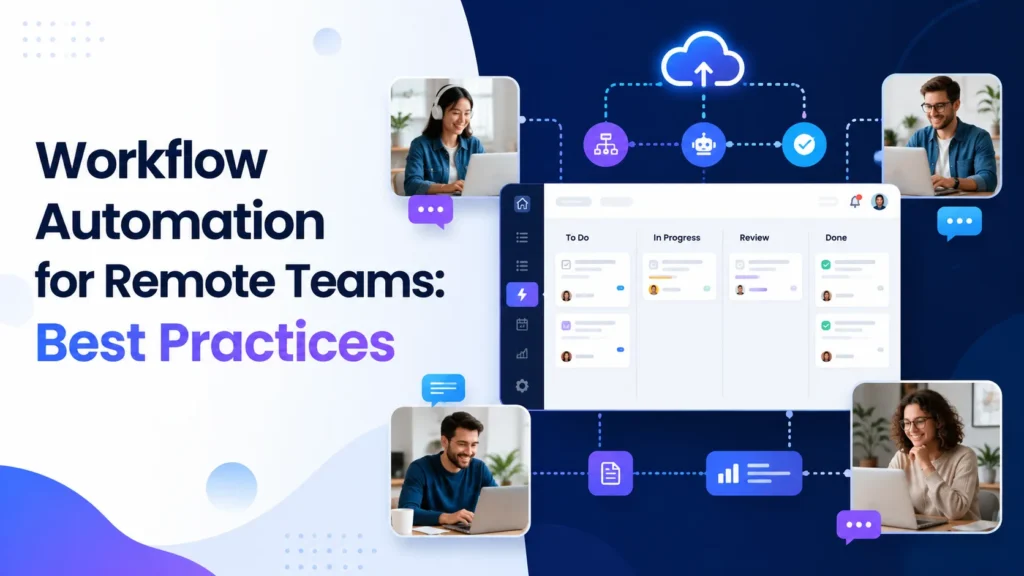
Quick answer: Remote team workflow automation: asynchronous handoffs, status updates, approvals, time zones, notifications, security and measurable outcomes. A reliable result requires clear input data, named owners, controlled permissions, exception handling and a way to measure business outcomes.
Workflow Automation for Remote Teams: A Practical 2026 Guide is about turning real operational friction into a repeatable system. Successful automation begins with a concrete problem: a handoff waits too long, a record is copied more than once, an approval gets lost or a team cannot tell whether a task finished. The right design makes the outcome visible, assigns responsibility and allows a safe manual route when software cannot make a responsible decision.
Design for time-zone gaps instead of meetings
Remote work introduces gaps between when one person finishes and another can respond. A good workflow does not assume simultaneous availability. Capture the required inputs in a structured request, identify the next owner and display a deadline with its time zone. When the task crosses regions, keep a visible state such as waiting for review or blocked by missing information. A handoff should include a concise context summary and a link to the authoritative record. A scheduled status digest is often more useful than repeated urgent-looking chat messages.
Create a single intake path for recurring requests
Multiple chat channels and inboxes create invisible queues. Route project requests, access changes and internal support questions through a standard form or ticket. Ask only for information necessary to start the work and adapt fields by request type. Validate required values, then assign the case using explicit rules. Support an urgent exception path that names who can authorize it. The goal is not to reduce employee autonomy; it is to prevent a request from disappearing because the original recipient was offline.
Keep one source of truth for decisions
Copying a status across several apps creates conflicting versions. Choose the system that owns each business record: CRM for opportunity stage, task board for delivery progress, helpdesk for support cases. Automation should update related views but must not create competing masters. Preserve links to decisions and approved documents. When a person overrides the recommended path, record the reason and who approved the change. This improves accountability without requiring detailed surveillance of individual employees.
Automate asynchronous status updates wisely
A daily or twice-weekly digest can summarize changed tasks, blocked items, deadlines and open decisions. Make the underlying records clickable so teammates can verify context. Avoid asking everyone to fill out the same information twice; derive status from the work system where possible. Limit digests by team and responsibility so recipients see only actionable items. An AI summary should mark missing data and should not turn vague comments into confirmed commitments. Track whether the digest reduces repeated status questions.
Use predictable approval and escalation rules
Approvals fail when the reviewer is away and nobody knows who substitutes. Give every approval type an owner, backup owner, due window and escalation path. Separate routine low-risk approvals from financial, privacy or legal decisions. Reminders can be automatic, but approvals should require the authorized person’s action. If the deadline expires, change the case status rather than assuming approval. Log the version of the work reviewed so a later update cannot inherit an earlier approval by mistake.
Make security and access part of onboarding
Remote onboarding often spans HR, IT, payroll, collaboration and project systems. Trigger standard requests only after an authorized record confirms the person and start date. Assign access by role and let the system owner approve exceptions. Avoid sending secrets through chat or including private data in AI prompts without suitable controls. Include access removal and device recovery in offboarding, with an auditable completion status. Automation should reduce delays without bypassing security policy.
Protect deep work with deliberate notifications
Every message interrupts someone, especially across time zones. Categorize events as action required, informational and urgent. Send urgent alerts only for conditions with a defined response owner; group routine information into digests. Avoid posting the same event to Slack, email and a task comment unless required. Offer opt-in preferences and quiet hours where appropriate. Monitor acknowledgment and actual problem resolution rather than using message count as a proxy for productivity.
Measure team coordination, not surveillance
Track time from request to acceptance, number of blocked cases, missed handoffs, approval turnaround and reopened tasks. Evaluate the process in aggregate rather than ranking individuals by online activity. Compare performance across comparable request types and time-zone coverage. Ask remote staff where the workflow adds friction and make changes visible. A successful remote automation program increases clarity and reduces coordination overhead while preserving human judgment and healthy boundaries.
Implementation controls that make the workflow dependable
Example workflow specification
A useful automation specification has six explicit fields: the initiating event, minimum required inputs, the source of truth, allowed actions, error handling and the evidence of completion. For a request that enters through a form, define which record should be created and the unique identifier used to prevent duplicates. Describe what happens if a related customer already exists, if the API is offline or if an approver rejects the request. For every external action, identify whether it can be reversed. Non-reversible actions deserve stronger controls and clear authorization. Include the expected output and a way for the next person in the process to confirm that the work was actually completed.
Practical test cases before rollout
Prepare synthetic sample records for a clean event, incomplete input, duplicate submission, incorrect permissions, unavailable destination and a late response. Test that each case creates the expected state and that a stopped workflow does not leave half-completed work invisible. Run an additional permission test using the limited credentials intended for production rather than a full administrator account. Ask a second operator to follow the troubleshooting notes without guidance from the builder. If they cannot understand what happened from the logs and documentation, the system is not ready for unattended operation. These tests establish reliability without pretending that a private benchmark already exists.
Success metrics and ongoing review
Track a baseline period and a comparable post-launch period for volume, elapsed time, human effort, error rate, manual escalations and platform usage. Use a completed business event as the unit of analysis. A report that runs instantly but requires several hours of correction is not an improvement. Where the business case depends on saved labor, account for maintenance, exception handling and review time. Audit unusual cost spikes and failures, especially after adding AI steps or changing integrations. Put a named owner and a review date beside each metric so a workflow can be improved, simplified or retired as needs change.
Security, privacy and responsible automation
Limit permissions to only the systems and fields needed for the workflow. Do not route confidential documents to an AI provider unless that use is approved under the organization’s privacy and security requirements. Avoid exposing API keys in prompts or activity logs. Set retention periods for personal data and keep a record of how automated decisions can be questioned or corrected. Human approval should be meaningful: the reviewer needs enough context to detect mistakes, not just a green button. Document how to pause the flow quickly during a data-quality incident or unexpected batch of events.
Example: a follow-the-sun project handoff
Imagine a design team in one time zone handing work to a development team in another. Instead of sending an unstructured late-night message, the designer marks the task ready for implementation and completes required fields: approved file link, version number, acceptance criteria, known issues and the next owner. The workflow checks that the required fields exist, creates a review task and schedules a notification during the recipient team’s working hours. If the developer finds an unresolved issue, the item moves to blocked with a clearly named owner. If the work is accepted, the task records the acceptance timestamp. This is a simple example of reducing waiting without demanding that both teams remain online together.
For time-sensitive incidents, keep a different escalation path with an authorized on-call rota. Normal production requests should not inherit emergency notification rules. That separation protects employee attention while making genuinely urgent requests faster to route.
Related guides on AI Automation Hacks
Continue with business workflow automation playbook, process mapping guide, workflow automation mistakes. These guides explain adjacent stages of planning, building, operating and improving automation.
Frequently asked questions
How do I choose the first automation?
Pick a frequent, measurable process with structured inputs, low-risk actions and a clear accountable owner. Avoid starting with the most complex exception-heavy process.
Should I use AI for every workflow?
No. Use deterministic rules for exact matching, arithmetic, permissions and known policy. Add AI only when the task involves ambiguity such as summarizing or classifying free text.
Which platform is easiest for a small team?
That depends on existing applications, staff skills, permission needs and cost model. Test the complete workflow in Zapier, Make, n8n or Power Automate before choosing.
What if an automation fails?
Every production flow should create a visible failure state, notify its owner and provide a safe manual or replay option without generating duplicates.
How do I prove the workflow is useful?
Compare equivalent periods for completed events, response time, correction work, failure frequency and total operating cost. Include human review and ongoing maintenance.
Official documentation and further reading
Use the product documentation for current integration behavior and limits: Microsoft Power Automate documentation, n8n documentation, Make Help Center, and Zapier Help Center. Features and billing vary by plan and can change; confirm current conditions with the provider.