
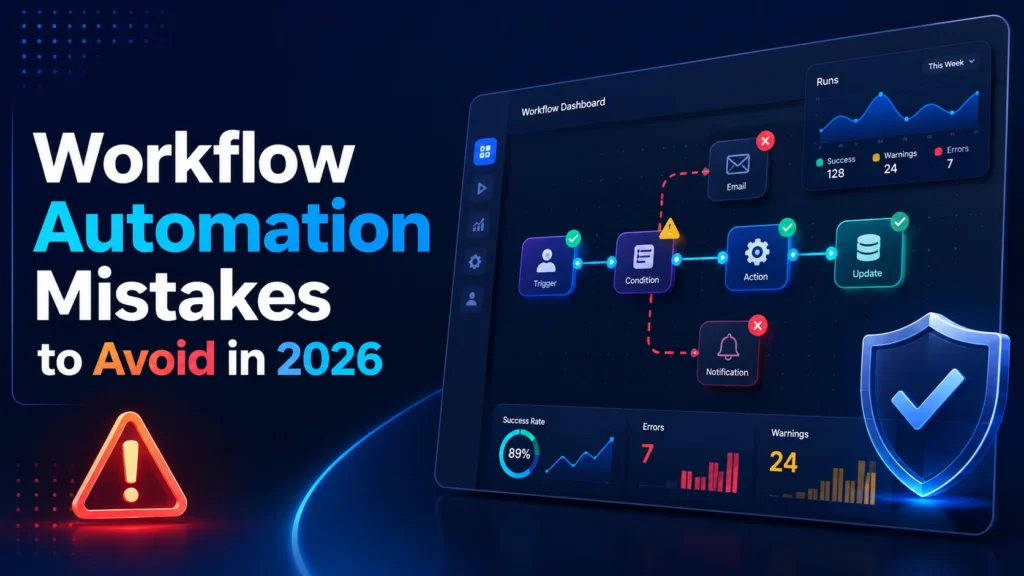
Quick answer: Avoid twelve common automation mistakes with practical fixes for data, exception handling, credentials, retries, AI guardrails and monitoring. A reliable result requires clear input data, named owners, controlled permissions, exception handling and a way to measure business outcomes.
12 Workflow Automation Mistakes to Avoid in 2026 is about turning real operational friction into a repeatable system. Successful automation begins with a concrete problem: a handoff waits too long, a record is copied more than once, an approval gets lost or a team cannot tell whether a task finished. The right design makes the outcome visible, assigns responsibility and allows a safe manual route when software cannot make a responsible decision.
1. Automating a broken process
If different teams disagree about a stage definition, automation magnifies the disagreement. Interview the people handling real cases, capture delays and rewrite the process before translating it into triggers and actions. A correct automated result requires a shared definition of success. Start with a small workflow that has a clear owner. Check one regular case and one exception to confirm the process is consistent outside a slide deck.
2. Building too much in the first release
A flow spanning five departments and fifteen integrations is difficult to troubleshoot. Begin with one high-frequency handoff and a visible outcome. When that unit works, add another stage. Split large flows into named subprocesses with inputs and outputs. This limits the blast radius when a provider changes an API or a form field. Record what the first version explicitly does not handle so users know when to switch to manual review.
3. Trusting dirty or incomplete data
A model cannot reliably repair every missing identifier, ambiguous date or inconsistent category. Validate required fields at entry and normalize formats. Decide which system owns the record and how duplicates are detected. A malformed payload should move to a visible exception state, not continue with guessed values. Use representative sample records from actual workflow variations, with sensitive details removed. Monitor the frequency of invalid inputs to improve the intake form.
4. Treating every AI answer as a decision
AI can classify an inquiry or draft a reply, but ambiguous language should not silently trigger a payment or account change. Ask for structured output with known fields, validate the answer and apply separate business rules. Use confidence thresholds only when they have been evaluated with examples. Route risky or unclear cases to a person. Preserve the evidence used for the decision and avoid exposing sensitive information to providers without an appropriate data agreement.
5. Forgetting retries and duplicate prevention
External APIs time out and webhooks are sometimes delivered more than once. If the flow creates an invoice or contact on every retry, it can produce expensive duplicates. Use a stable event identifier and lookup or idempotency mechanism where supported. Retry temporary failures with backoff, and stop after a limited number of attempts. Mark unrecoverable failures for review. Test a repeated webhook, a temporary outage and a delayed response before enabling the automation broadly.
6. Hiding failures from the people affected
A green-looking builder screen is not proof that the business outcome happened. Log the event, stage, destination and final state; alert the named owner when work fails. Distinguish a technical error from a business exception requiring more information. Provide a safe method to replay or complete one failed case without repeating successful actions. Review unresolved failures on a schedule and document the recovery procedure.
7. Relying on personal accounts for connections
Workflows often break when an employee leaves or changes a password. Prefer managed service accounts or approved app connections with narrowly scoped permissions. Document the credential owner and rotation process. Avoid placing keys in spreadsheets, screenshots or prompts. Test the role and access of a backup maintainer. Security review may feel slower at launch but is much cheaper than losing access to a critical automated process later.
8. Sending every event as a notification
An alert is useful only when it changes what someone does next. Posting every successful run into team chat can bury true failures. Group routine updates into a digest and reserve immediate alerts for actionable exceptions. Include the affected record and suggested recovery path. Give each alert an owner and escalation window. Measure action taken and tune false positives rather than optimizing for notification volume.
9. Failing to capture actual costs
A cheap-looking integration can generate thousands of polling events, AI calls or task runs. Model volume before rollout and understand how the vendor bills retries, operations and model tokens. Record an approximate cost per completed business event, not only monthly subscription price. Review whether an AI step adds enough value over a deterministic filter. Add spending alerts and a pause mechanism if runaway loops or unexpected traffic occur.
10. Shipping without acceptance tests
A happy-path demo misses empty fields, duplicate events, deleted destinations and permission errors. Write test cases based on both real incidents and likely exceptions. Confirm that the workflow stops safely when an approval is missing. Check the destination record, not just the platform’s success message. Retest when a connector, schema, role or provider changes. A versioned test checklist reduces regressions when another person maintains the system.
11. Leaving ownership unclear
If nobody owns a workflow, broken connections and stale business rules accumulate. Assign one business owner for policy and one technical maintainer for implementation. Record a backup person, support route, change history and review date. Keep a readable diagram and short recovery instructions near the workflow. Provide training so the team knows when to override the automated path and how to report an unexpected result.
12. Never revisiting results after launch
A workflow can keep running after the original business need disappears. Review completed cases, delays, rework and costs every month or quarter according to impact. Identify automations that duplicate features now built into your core software. Remove unnecessary steps and retire flows that no longer earn their maintenance burden. Success is fewer avoidable handoffs and safer outcomes, not a dashboard showing the highest possible number of automations.
Implementation controls that make the workflow dependable
Example workflow specification
A useful automation specification has six explicit fields: the initiating event, minimum required inputs, the source of truth, allowed actions, error handling and the evidence of completion. For a request that enters through a form, define which record should be created and the unique identifier used to prevent duplicates. Describe what happens if a related customer already exists, if the API is offline or if an approver rejects the request. For every external action, identify whether it can be reversed. Non-reversible actions deserve stronger controls and clear authorization. Include the expected output and a way for the next person in the process to confirm that the work was actually completed.
Practical test cases before rollout
Prepare synthetic sample records for a clean event, incomplete input, duplicate submission, incorrect permissions, unavailable destination and a late response. Test that each case creates the expected state and that a stopped workflow does not leave half-completed work invisible. Run an additional permission test using the limited credentials intended for production rather than a full administrator account. Ask a second operator to follow the troubleshooting notes without guidance from the builder. If they cannot understand what happened from the logs and documentation, the system is not ready for unattended operation. These tests establish reliability without pretending that a private benchmark already exists.
Success metrics and ongoing review
Track a baseline period and a comparable post-launch period for volume, elapsed time, human effort, error rate, manual escalations and platform usage. Use a completed business event as the unit of analysis. A report that runs instantly but requires several hours of correction is not an improvement. Where the business case depends on saved labor, account for maintenance, exception handling and review time. Audit unusual cost spikes and failures, especially after adding AI steps or changing integrations. Put a named owner and a review date beside each metric so a workflow can be improved, simplified or retired as needs change.
Security, privacy and responsible automation
Limit permissions to only the systems and fields needed for the workflow. Do not route confidential documents to an AI provider unless that use is approved under the organization’s privacy and security requirements. Avoid exposing API keys in prompts or activity logs. Set retention periods for personal data and keep a record of how automated decisions can be questioned or corrected. Human approval should be meaningful: the reviewer needs enough context to detect mistakes, not just a green button. Document how to pause the flow quickly during a data-quality incident or unexpected batch of events.
Related guides on AI Automation Hacks
Continue with business workflow automation playbook, process mapping guide, remote-team automation guide. These guides explain adjacent stages of planning, building, operating and improving automation.
Frequently asked questions
How do I choose the first automation?
Pick a frequent, measurable process with structured inputs, low-risk actions and a clear accountable owner. Avoid starting with the most complex exception-heavy process.
Should I use AI for every workflow?
No. Use deterministic rules for exact matching, arithmetic, permissions and known policy. Add AI only when the task involves ambiguity such as summarizing or classifying free text.
Which platform is easiest for a small team?
That depends on existing applications, staff skills, permission needs and cost model. Test the complete workflow in Zapier, Make, n8n or Power Automate before choosing.
What if an automation fails?
Every production flow should create a visible failure state, notify its owner and provide a safe manual or replay option without generating duplicates.
How do I prove the workflow is useful?
Compare equivalent periods for completed events, response time, correction work, failure frequency and total operating cost. Include human review and ongoing maintenance.
Official documentation and further reading
Use the product documentation for current integration behavior and limits: Microsoft Power Automate documentation, n8n documentation, Make Help Center, and Zapier Help Center. Features and billing vary by plan and can change; confirm current conditions with the provider.